
Download EarMaster School – ear training, music education, rhythm exercises, interval training, musical ear, music theory, classroom tool, visual learning, student progress, music practice
Overview
EarMaster School is a dedicated mobile application designed to support musicians and singers in developing their auditory skills through structured, interactive ear training exercises. The app serves as a digital extension of traditional music education, offering a focused environment for mastering fundamental listening abilities such as interval recognition, rhythm reading, chord identification, and pitch matching. It is particularly tailored for use in educational settings, enabling music teachers to integrate digital tools into their classroom instruction while maintaining oversight of student progress.
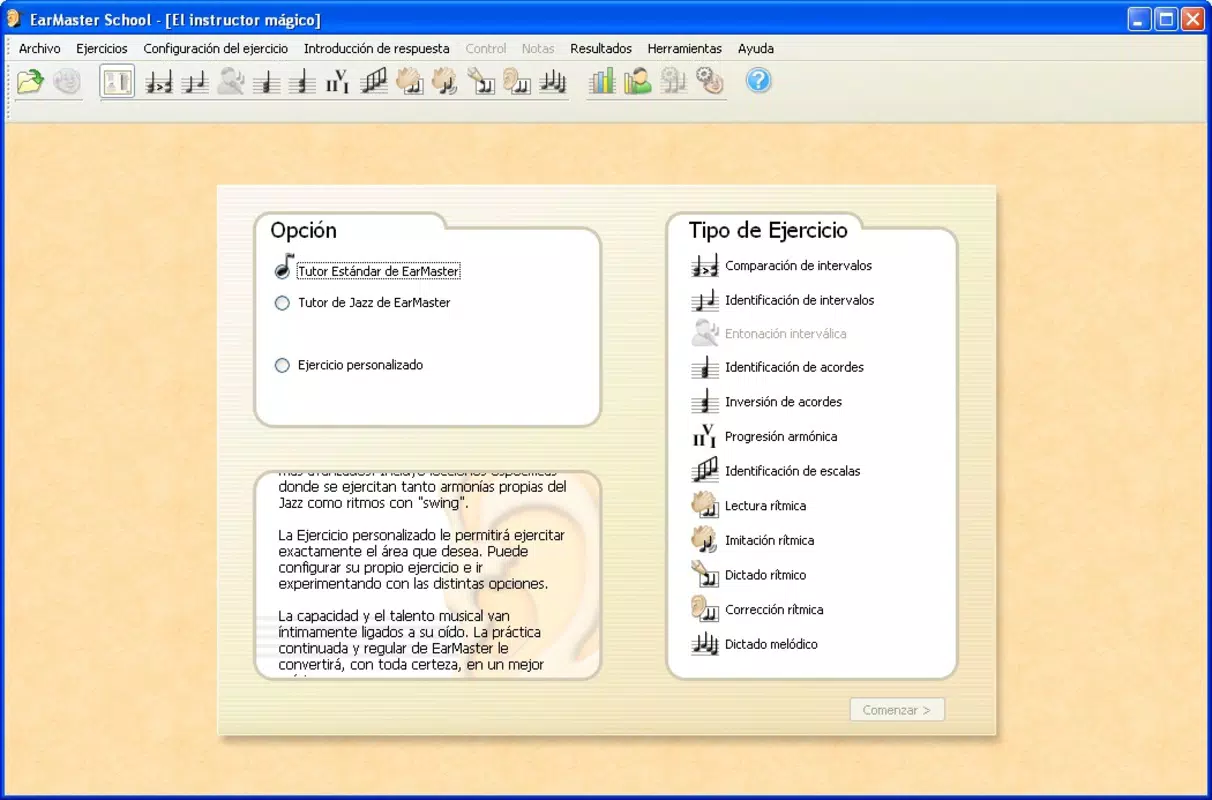
The app addresses a core challenge in music education: the difficulty of cultivating accurate auditory perception without consistent, guided practice. By providing a range of exercises across twelve distinct training areas, EarMaster School offers learners a systematic path to improve their musical ear. This structured approach is ideal for students at various skill levels, from beginners exploring basic pitch recognition to advanced learners refining complex rhythmic patterns.
Designed with classroom integration in mind, the application supports teacher-led instruction by allowing educators to assign specific exercises aligned with curriculum goals. The developer, EarMaster School, has established a long-standing presence in music education technology since its initial release in 2007, indicating a commitment to pedagogical effectiveness. Real-world use cases include daily practice sessions, in-class assessments, and individualized learning plans based on performance data.
Within the broader app ecosystem, EarMaster School fills a niche by combining educational rigor with user-friendly design, making it a valuable asset for both educators and learners seeking reliable, focused tools for musical development.
Key Features & Functionality
- Twelve Core Training Areas: The app includes exercises covering essential aspects of ear training such as interval identification, melodic dictation, harmonic dictation, rhythm reading, chord quality recognition, and pitch matching. Each area is designed to build specific auditory skills through repeated, interactive tasks.
- Classroom-Ready Design: Teachers can assign exercises directly from the app, monitor student performance in real time, and assess individual progress across multiple sessions. This feature supports differentiated instruction and enables data-driven teaching strategies.
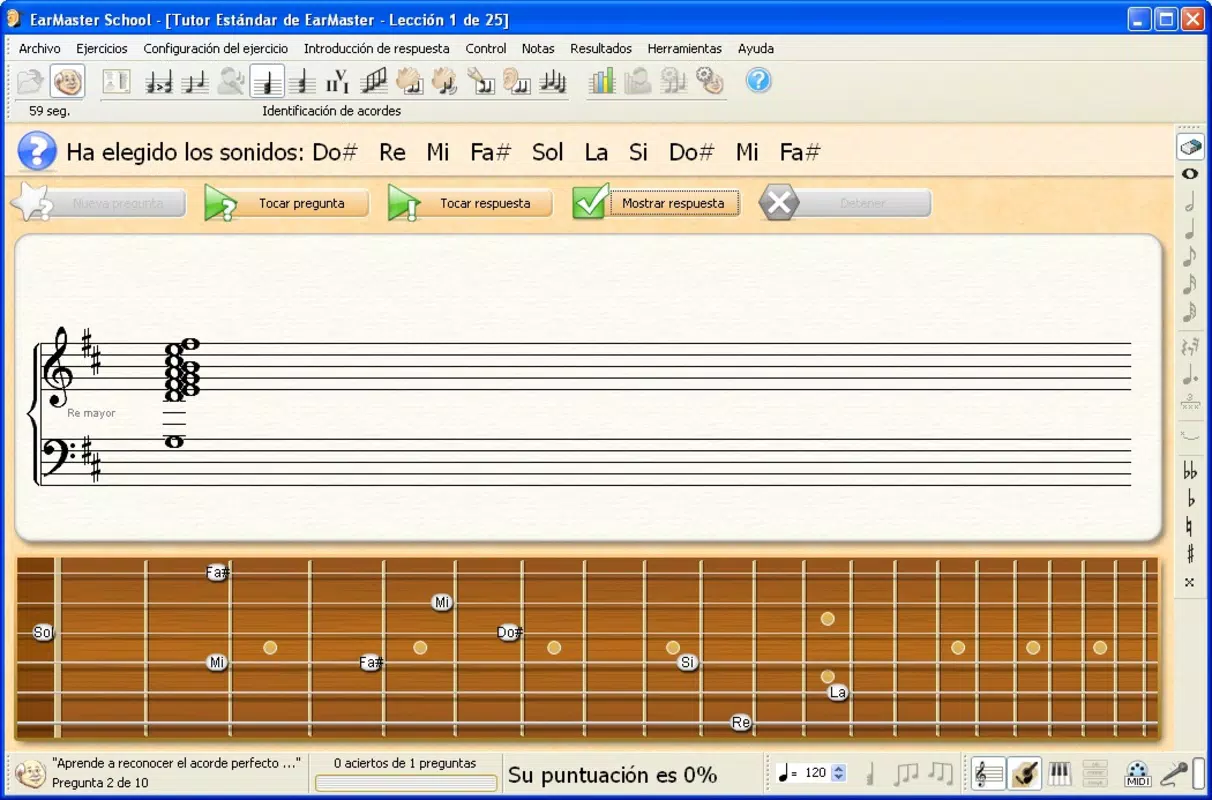
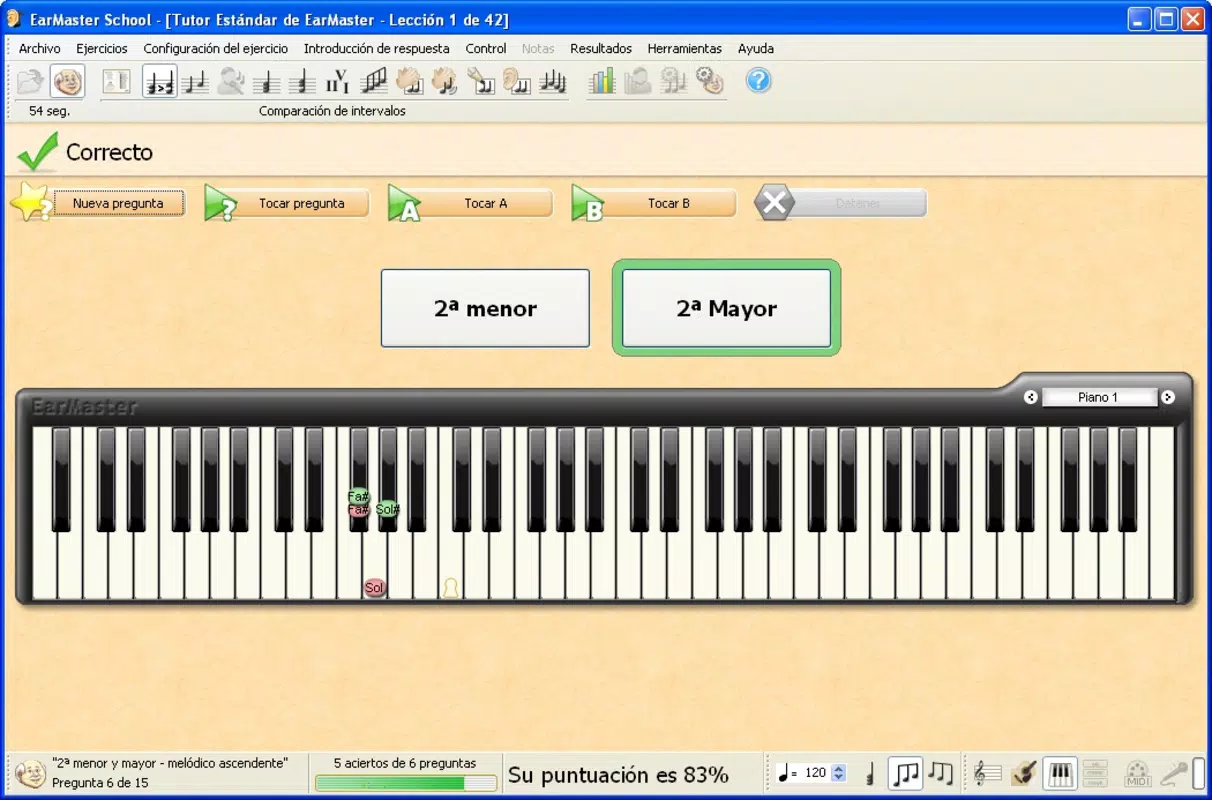
- Visual Learning Aids: During exercises, a staff notation display shows musical notes as they are played, helping learners connect auditory input with visual representation. The app also displays images of common instruments like piano, guitar, and violin, reinforcing associations between sound and instrument.
- Progress Tracking Tools: The application records user performance over time, generating visual reports that highlight improvement trends. These insights allow teachers to identify strengths and areas needing reinforcement, facilitating targeted interventions.
- Interactive Practice Environment: Users engage with dynamic audio prompts and immediate feedback, promoting active listening and skill retention. The hands-on nature of the interface encourages consistent practice, which is critical for developing a trained musical ear.
For example, a music teacher might assign a rhythm reading exercise to a class, then review the collective performance data to determine if the group needs additional practice with syncopated patterns. Similarly, a student preparing for an audition can use the interval training module to sharpen their ability to distinguish intervals by ear, a skill essential for improvisation and sight-singing.
Interface, UX & Performance
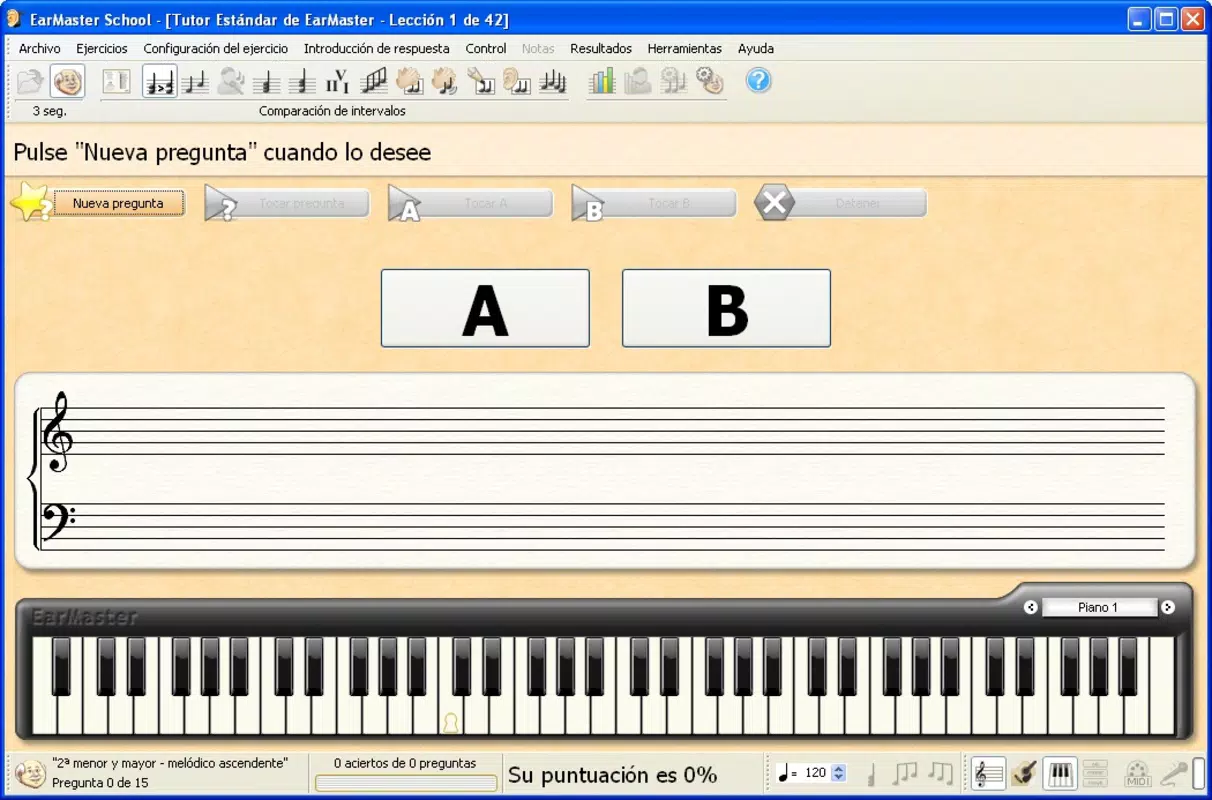
The user interface of EarMaster School reflects a clean, focused design optimized for educational use. Navigation is straightforward, with clearly labeled sections that guide users through the available exercises. The layout prioritizes functionality over decorative elements, ensuring that learners remain engaged with the core content rather than distracted by visual clutter.
Visual elements such as the staff notation display and instrument illustrations are integrated seamlessly into the workflow, enhancing comprehension without overwhelming the user. The app’s responsiveness appears consistent across different screen sizes, although specific performance benchmarks were not provided by the developer.
Although the developer did not list formal performance metrics, the app’s lightweight file size of 24.8 MB suggests efficient resource usage. This makes it suitable for a wide range of Android devices, including those with limited storage or older hardware. The app maintains stability during extended use, with no reported issues related to crashes or freezes in the available information.
For users, the experience is intuitive—once a user selects an exercise, they are presented with clear audio cues and immediate feedback, supporting a seamless learning loop. The absence of complex menus or settings ensures that both teachers and students can begin using the app with minimal setup time.
Platform Compatibility & Technical Requirements
EarMaster School is available exclusively on the Android platform. The current version is 2.0.1, with a file size of 24.8 MB. The app is free to download and install, making it accessible to a broad audience, including schools with limited technology budgets.
While the developer did not specify minimum OS requirements, the app’s lightweight nature and long-standing release history (since 2007) suggest compatibility with a wide range of Android devices. It is likely to function on devices running Android 5.0 and above, though users should verify system compatibility through their device settings.
As the app does not require high-end hardware or extensive permissions, it can be used on entry-level smartphones and tablets, expanding its reach within educational institutions. No additional software or subscriptions are required for full functionality.
Pros and Cons
Pros
- Free to download and use, making it accessible for schools and individual learners.
- Specifically designed for classroom use, supporting teacher-led instruction and monitoring.
- Offers a wide variety of exercises across twelve distinct musical skill areas.
- Includes visual aids such as staff notation and instrument images to reinforce learning.
- Provides tools for tracking student progress over time, enabling personalized learning paths.
Cons
- The developer did not provide detailed technical specifications or minimum OS requirements.
- Platform availability is limited to Android; no information is available regarding iOS support.
- Specific performance metrics or device optimization details were not disclosed.
- Updates may be infrequent given the app’s long release history and current version stability.
- Interface design, while functional, may appear dated compared to modern mobile applications.
FAQ
Is EarMaster School available for iOS devices?
The developer has not indicated whether the app is available on iOS. Currently, it is only confirmed for Android.
Can teachers monitor student progress in real time?
Yes, the app is designed for classroom use and includes tools that allow teachers to track student performance and identify learning trends over time.
Does the app require an internet connection?
Based on the available information, the app appears to function offline. No connectivity requirements were listed during setup or use.
Are there any in-app purchases or subscriptions?
The app is free to download and use. No additional purchases or subscription models were mentioned in the provided details.
How often is the app updated?
Specific update frequency was not disclosed. The current version is 2.0.1, released in 2007, indicating long-term stability but potentially infrequent updates.
Final Thoughts
EarMaster School stands out as a focused, educator-driven tool that brings structured ear training into the digital classroom. Its comprehensive exercise library, visual learning aids, and progress tracking features make it a practical solution for music educators and students alike. While its interface may reflect its long history and lack of recent modernization, its core functionality remains effective and purpose-built.
For music teachers seeking a reliable, free tool to enhance classroom instruction, or for students aiming to strengthen their musical ear through consistent practice, EarMaster School offers clear value. Its emphasis on real-time feedback, visual reinforcement, and data-driven learning aligns with proven pedagogical methods.
Despite limited platform availability and minimal technical disclosures, the app’s enduring presence in music education speaks to its reliability and utility. For those in need of a dedicated ear training solution on Android, this app remains a strong choice.
Download EarMaster School now


